

What it is
UserGems Website Visitors reveals who is engaging with your website by identifying real contacts (not just company domains) and enriching each visit with dozens of buying signals. This way your sales team sees names, context, and automated next steps, including personalized messaging generated by Gem-E.
Overview
1. Identify contacts on your website
UserGems uncovers the actual people behind your website traffic. Instead of stopping at a company domain, we pinpoint individual contacts so you can see which people are visiting and what pages they view.
2. Filter and enrich with UserGems data
Visitors are automatically qualified against your ICP and personas. We then enrich each contact and pair them with buying signals to make the outreach more effective.
How to setup the signal:
- Go to Signals Library → UserGems Website Visitors (Contacts) → “Website tag” tab → install website tag to website
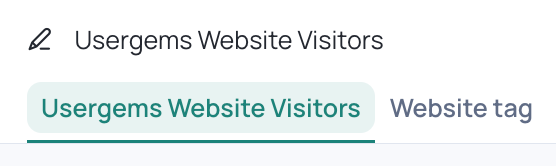
Best practice is to add it to your Header so we can capture each page. Otherwise, install it to any web pages that you would like to track.
- Return to the “UserGems Website Visitors” (main tab) to finish setup
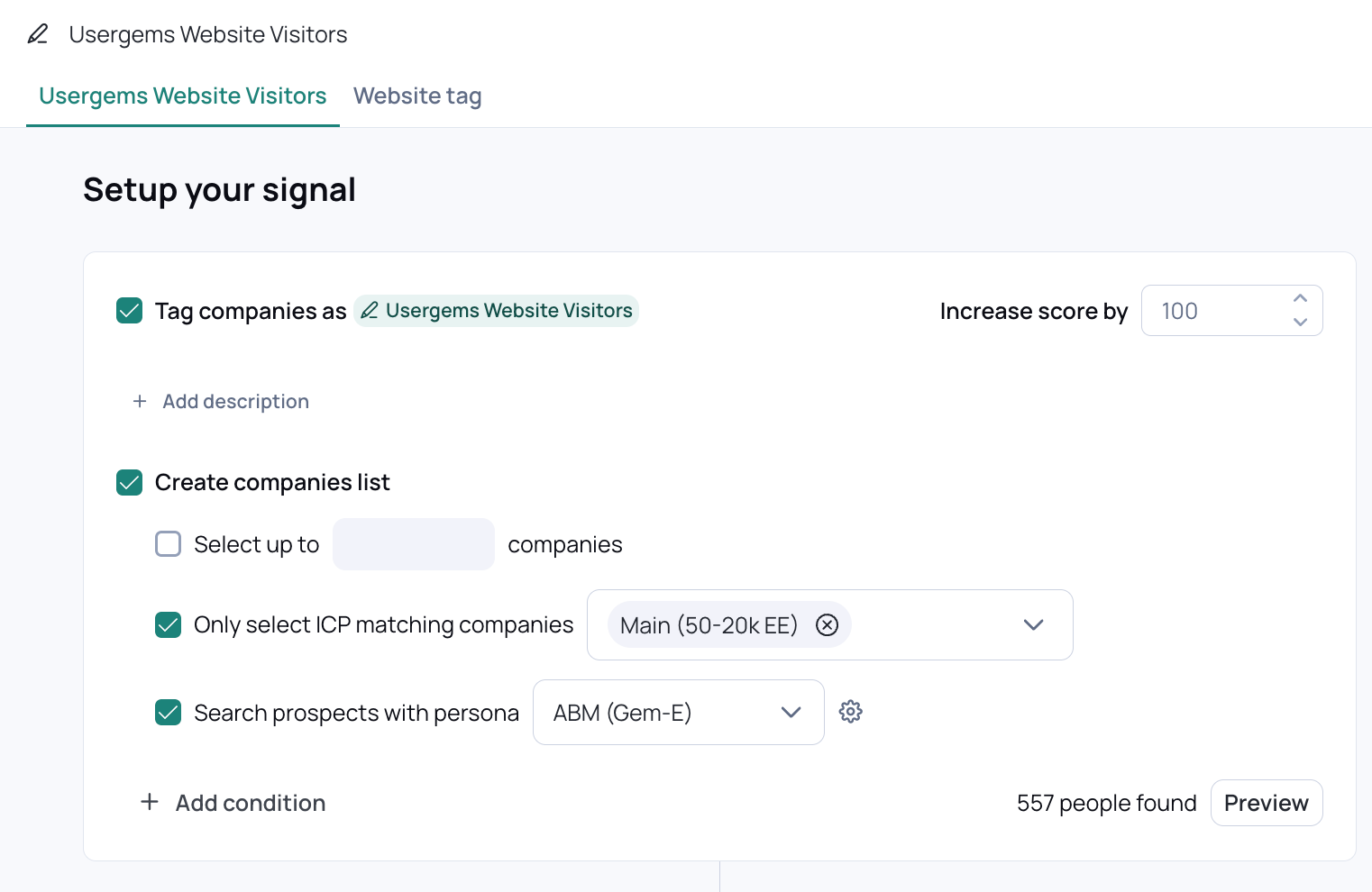
- By default “Create companies list” will be checked – this will automatically create a list of companies who visit your website
- Enter limit for number of companies identified (Optional)
- Define ICP (Optional)
- Define Persona (Optional) – this finds other persona matching contacts at the account
- Configure the signal
- Add filters to the main signal by pressing “+ Add condition”
- For example you might want to exclude people who visit the careers page – this could look like
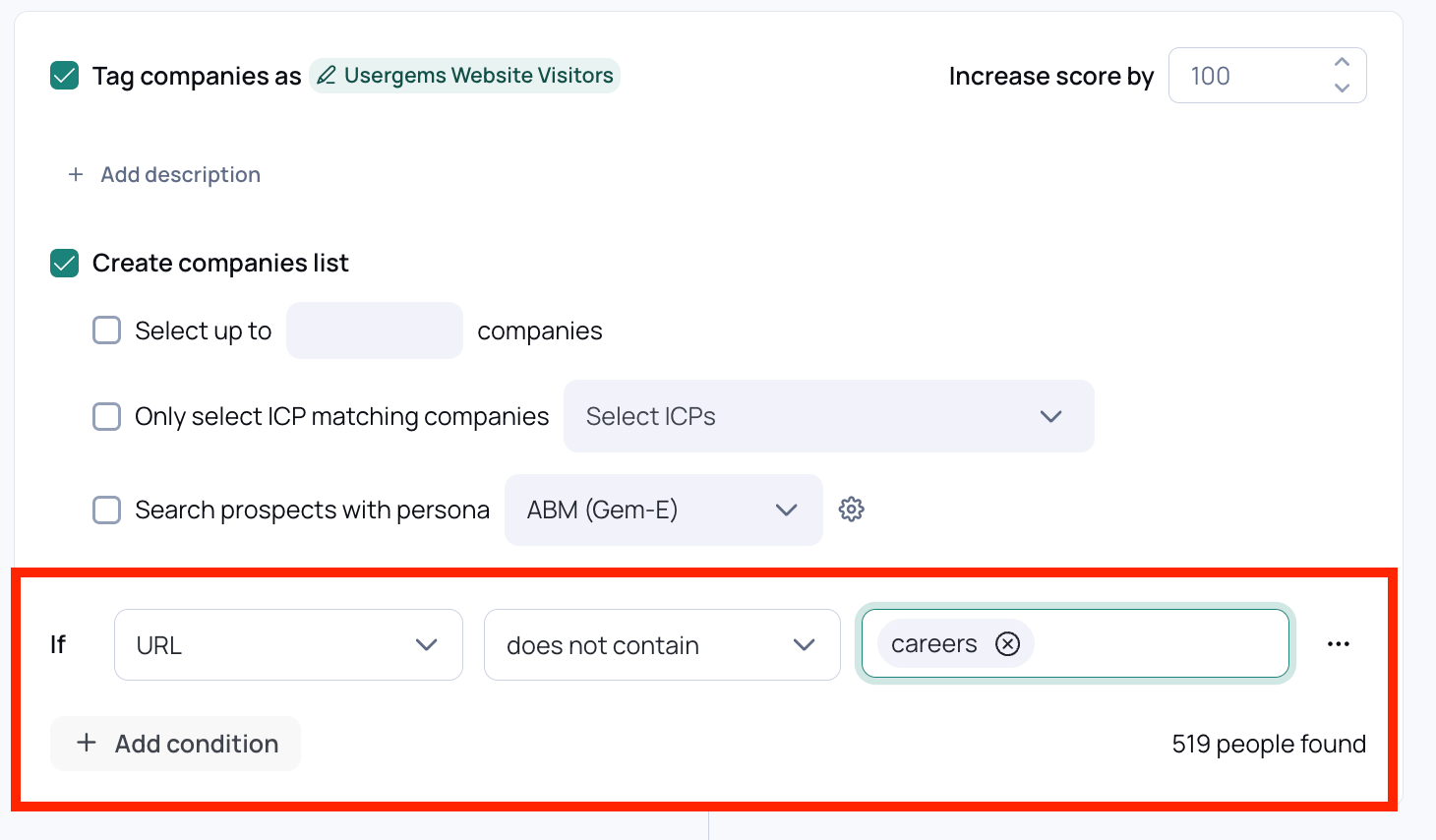
- Audience size can be seen in the lower right hand corner – you can filter your audience down further in Audience Builder.
- Add sub signals by clicking “+Add” at the bottom of the signal setup page
- Name your sub signal (in other words, what do you want contacts to be tagged with if they visit a specific page?)

- Define filters (i.e., if URL contains X)
- Click Save to save your signal setup
What to expect after setup:
After setting up your signal – your website visitors will be viewable in Audience Builder and you can start building campaigns with them. Additionally, the website visitor signal will be viewable on contact records inside of the co-pilot.
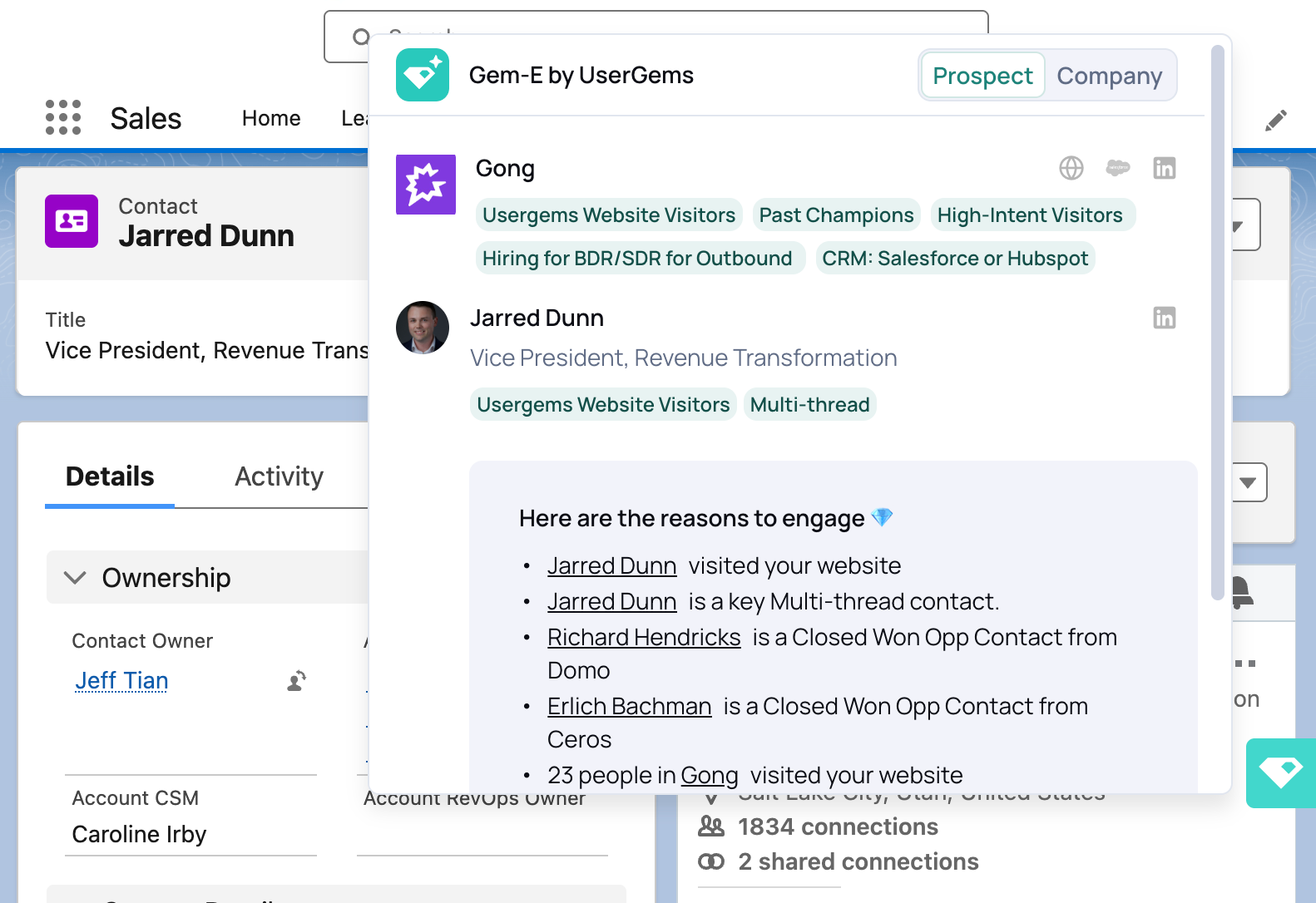
For best results, we recommend combining Website Visitors with other signals in the UserGems Library. Campaigns built on stacked signals perform significantly better than campaigns built on website visitors alone.
For a practical example and best-practice guidance, review this playbook: Book Meetings From Website Visitors (you have already completed steps 1 & 2!)
FAQs
Identification and Signal Behavior
How does UserGems identify website visitors?
UserGems identifies website visitors using a device-level detection method called “Browser Fingerprinting”. This method evaluates technical attributes from the visitor’s browser and network environment to determine whether the same device has visited before. This includes a combination of indicators such as network characteristics (IP, proxy detection, etc), browser type/version, hardware, operating system, time zone, and many others. It does not rely on cookies and does not require the user to submit a form.
How is browser fingerprinting different than traditional cookie tracking?
Cookie-based tracking relies on storing a small file in the user's browser. If the user blocks cookies, clears them, uses incognito mode, or switches devices or browsers, the identifier disappears. Fingerprinting does not store anything on the user's machine. Instead, it recognizes a returning visitor by analyzing their device and browser attributes. This makes it more resilient than cookies and does not require any action from the user, such as filling out a form or accepting a cookie banner.
How quickly can reps be notified that someone visited the website?
Most visits can be detected and processed within 24 hours. Instead of alerting reps immediately for every visit, UserGems evaluates the visitor, enriches the record with available signals, and automatically generates a tailored message.
If a visitor triggers multiple website visitor providers, will they show up as separate signals?
Yes. Each provider uses different detection methods, so UserGems displays each as its own signal. This ensures your team can see all available context rather than merging distinct data sources. We are exploring a consolidated view in the future.
Which webpages should I install the website tag on?
We recommend placing the tag in your header. Otherwise place them on each webpage you want to track (i.e., Pricing Page, Demo Request Page). More coverage results in more identified visitors.
Privacy, Consent, and Compliance
How does UserGems comply with international privacy regulations like GDPR?
UserGems Website Visitors is structured to limit exposure to international privacy laws. Today, identification is performed only for visits detected within the United States. Visits from outside the U.S. are not processed for identification.
As the feature evolves, we will publish more detailed privacy and compliance documentation.
What if a non-U.S. individual visits my site while physically in the United States?
If the visit originates from a U.S. location, identification may occur. However, UserGems does not enrich or validate visitors using international consumer data. If we cannot confidently match the visitor using U.S.-sourced attributes, the visit will not appear in the product.
Can individuals opt out of tracking?
Yes. Opt-outs can happen in two ways:
- Through your website’s consent tools. You can configure the UserGems tag to activate only after consent is granted through your CMP or tag manager.
- By contacting UserGems. Individuals may email security@usergems.com to request suppression or removal of their information.
Can UserGems run only after a visitor explicitly opts in?
Yes. If your organization requires explicit consent, the tag can be placed inside your CMP so it activates only after the visitor opts in.
Is the Website Visitors feature geofenced?
Yes. Identification currently occurs only for traffic detected within the United States. The script may load globally to determine geographic location, but no identification occurs outside U.S. traffic.
Can subsignals be used for audience building?
Yes. Subsignals are available to refine or segment audiences in Audience Builder.
Can subsignals influence Gem-E messaging?
Yes. Gem-E can incorporate subsignal context to personalize generated outreach and recommendations.
Can subsignals be pushed to the CRM?
NA. Subsignal details can/cannot be written to supported fields in your CRM.
How does UserGems compare to other website visitor tools?
UserGems uses a similar underlying detection method to many visitor-identification tools but differs significantly in how results are validated, enriched, scored, and automated.
UserGems focuses on identifying the right person, surfacing other signals to stack and generating personalized, ready-to-send messaging.
What if we already use another website visitor tool?
Many customers run multiple website visitor identification tools. Each provider may detect different people or supply different context. UserGems layers additional enrichment and intent scoring on top of detected visits, so the features complement one another rather than conflict.