


Waterfall Enrichment helps you find more emails and phone numbers. If UserGems can't find a contact's email or phone, it checks the other data providers you've turned on, one at a time, in the order you choose, until it finds a match. You set it up once, and it runs on every email and phone number UserGems provides from then on.
Where to find it
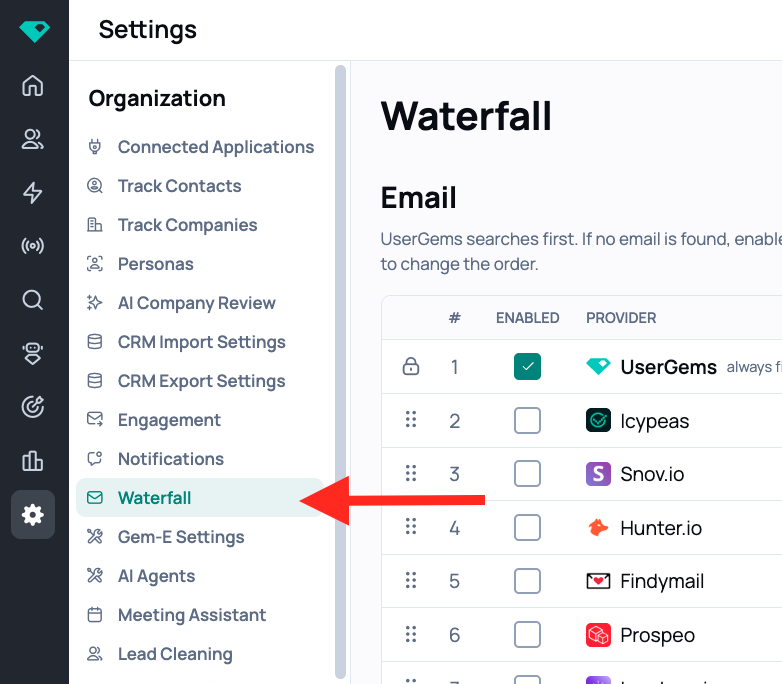
Go to Settings → Organization → Waterfall.
How it works
The Waterfall page has two tables, one for Email and one for Phone. Each works the same way:
- UserGems checks each provider you've turned on, from top to bottom.
- It stops as soon as one of them finds an email or phone number.
- Providers you haven't turned on are skipped.
Defaults:
- Email: UserGems always searches first. This row is locked and can't be turned off or moved.
- Phone: Leadmagic is turned on by default.
Set up your waterfall
- Go to Settings → Organization → Waterfall.
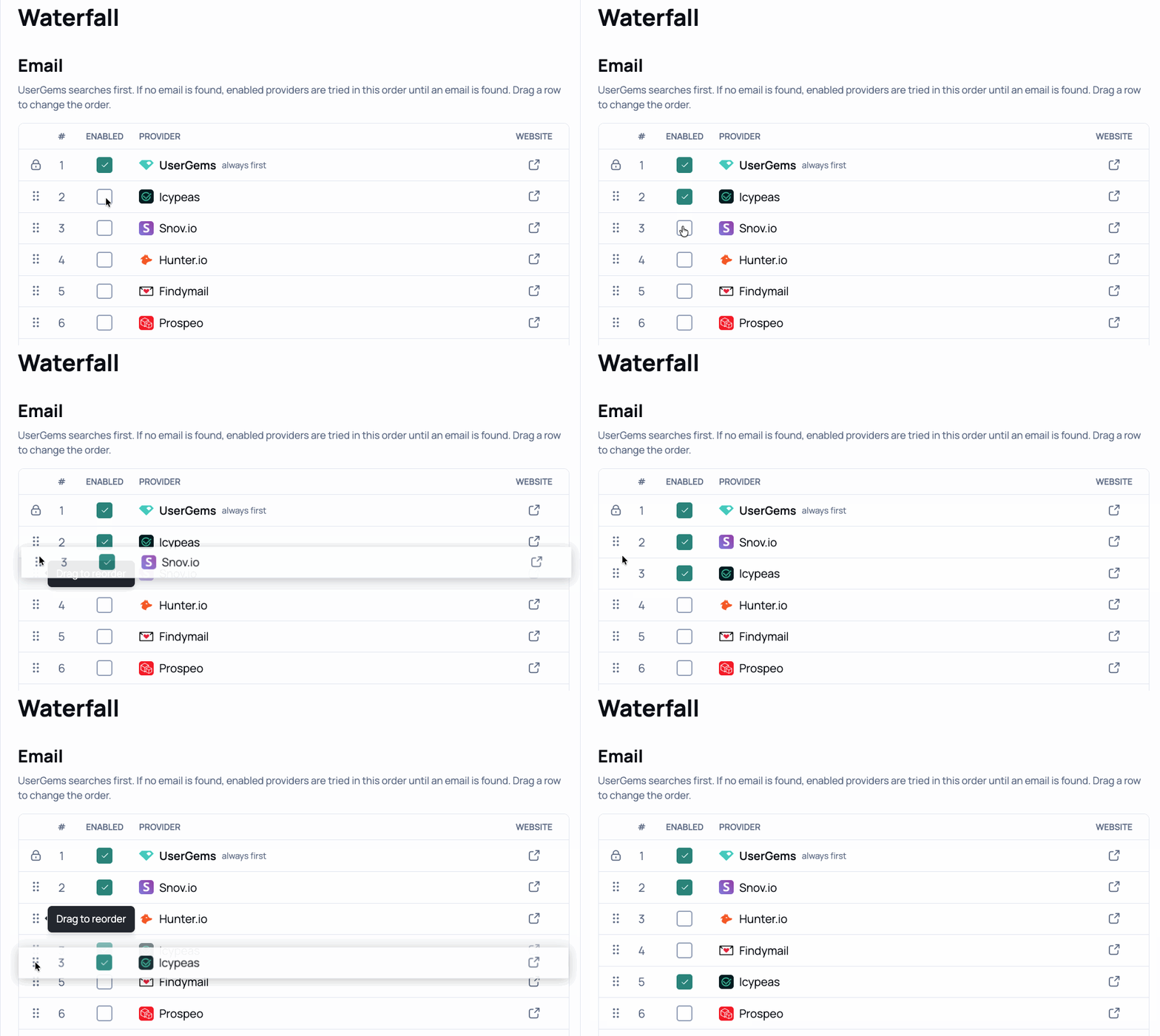
- In the Email or Phone table, check the box in the Enabled column next to each provider you want to use.
- Drag rows by the handle (⋮⋮) to change the order providers are checked in.
- Click Save changes.
💡 Tip: Be selective with email providers, and more generous with phone. If UserGems doesn't find an email for a contact, there's usually a good reason, such as low confidence that the address is valid. Emails found by other providers tend to bounce more, so turn email providers on with care and keep an eye on your bounce rates. For phone numbers, the risk is lower, so turning on more providers is a good way to get more coverage.
FAQs
Can I turn off UserGems in the email waterfall?
No. UserGems always searches first for emails. Other providers are only checked when UserGems doesn't find a match.
What triggers the waterfall? Do I need to set up a workflow?
No extra setup is needed. Whenever UserGems provides an email or phone number, like when a workflow writes contact info to your CRM, it runs through your waterfall automatically.
Do I need my own subscriptions with these providers?
No. UserGems manages the provider subscriptions. Just turn on the ones you want to use.
Can I add providers that aren't on the list?
Not right now. If there's a provider you'd like to see, let your CSM know.