

Signals are the foundation of everything in UserGems: the who, what, when, and why for reaching out. Instead of working an account list top to bottom, signals tell your team which people and accounts to act on right now, and give the context that makes the outreach land.
People signals vs. company signals
Signals come in two categories:
- People signals attach to a person: a past champion landing at a new company, a new hire, a promotion.
- Company signals attach to an account: funding, an acquisition, expansion, hiring momentum.
People signals tell you who to reach; company signals tell you when an account's timing has changed. The strongest plays layer both.
The 13 default signals
Every UserGems customer should have all 13 default signals activated with just a couple clicks:
- Past Champions. People who bought, used, or evaluated your product land in a new role. They convert about 3x higher than normal leads.
- New Hires. New executives and decision makers join your tracked accounts. New leaders are far more likely to buy in their first months.
- Promotions. Existing contacts at your accounts step into bigger roles, often with new budget and authority.
- Multi-Thread. Identifies the key missing members of the buying group at an account, so you are never single-threaded.
- Revive Closed Lost. Resurfaces closed lost opportunities when something has changed and the timing is right to reopen.
- Mergers & Acquisitions. A tracked account acquires, or is acquired. Both sides of an M&A event shake up tools and budgets.
- Expansion. A tracked account opens new offices, markets, or regions.
- Partnership. A tracked account announces a strategic partnership.
- Product Announcement. A tracked account launches or announces a new product.
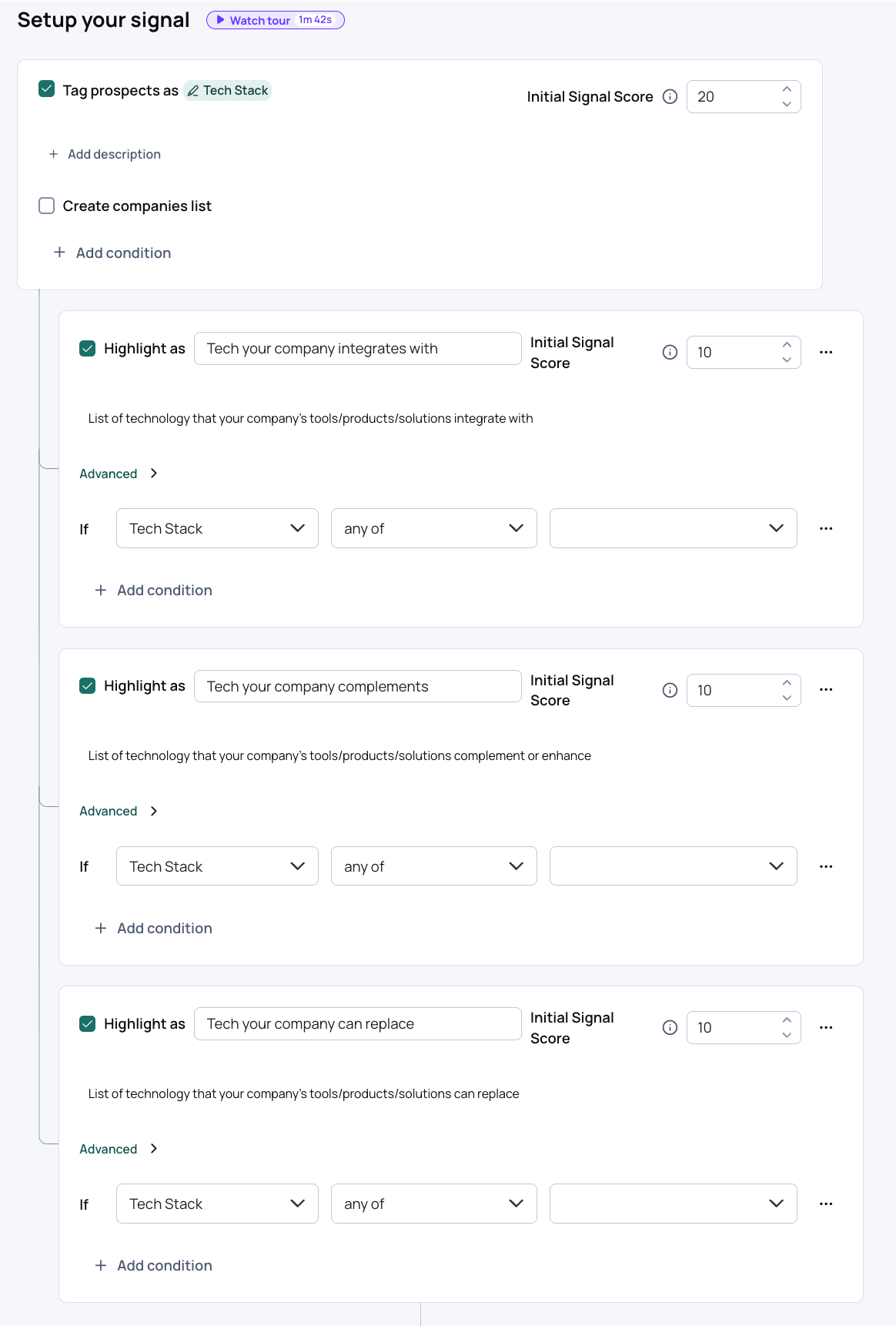
- Tech Stack. A tracked account adopts (or runs) technology relevant to your sale.
- Customer Competitors. Identifies which accounts are direct competitors of your best customers, a strong indicator they have the same problem you already solve.
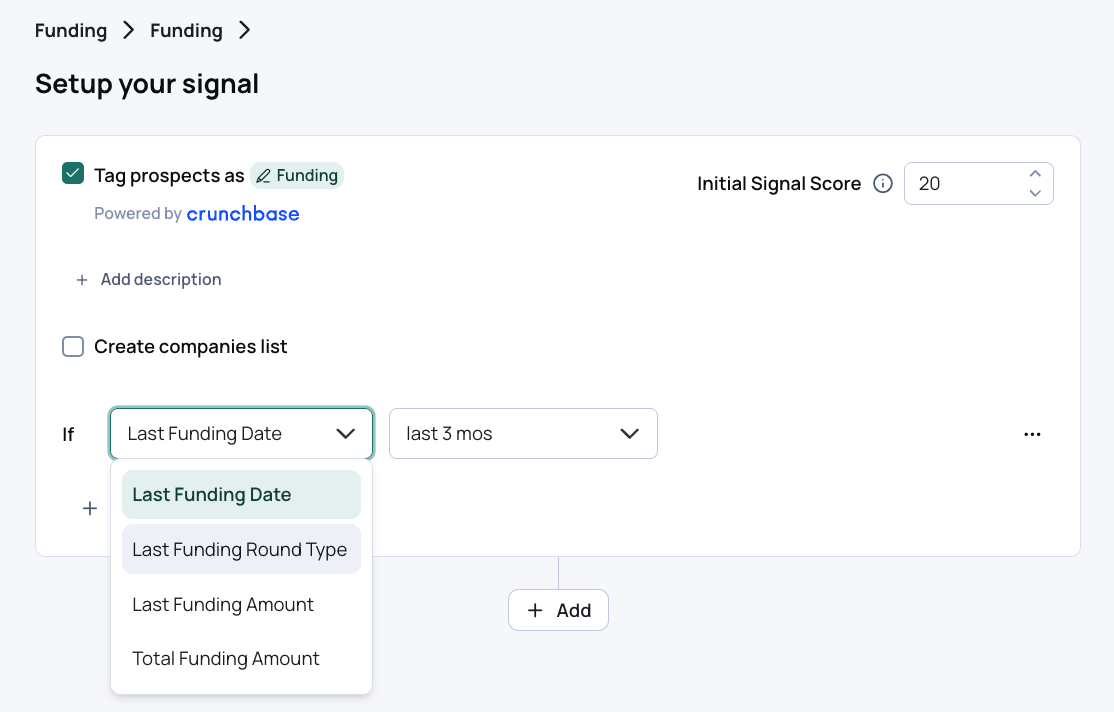
- Funding. A tracked account raises a round. Fresh capital means fresh budget.
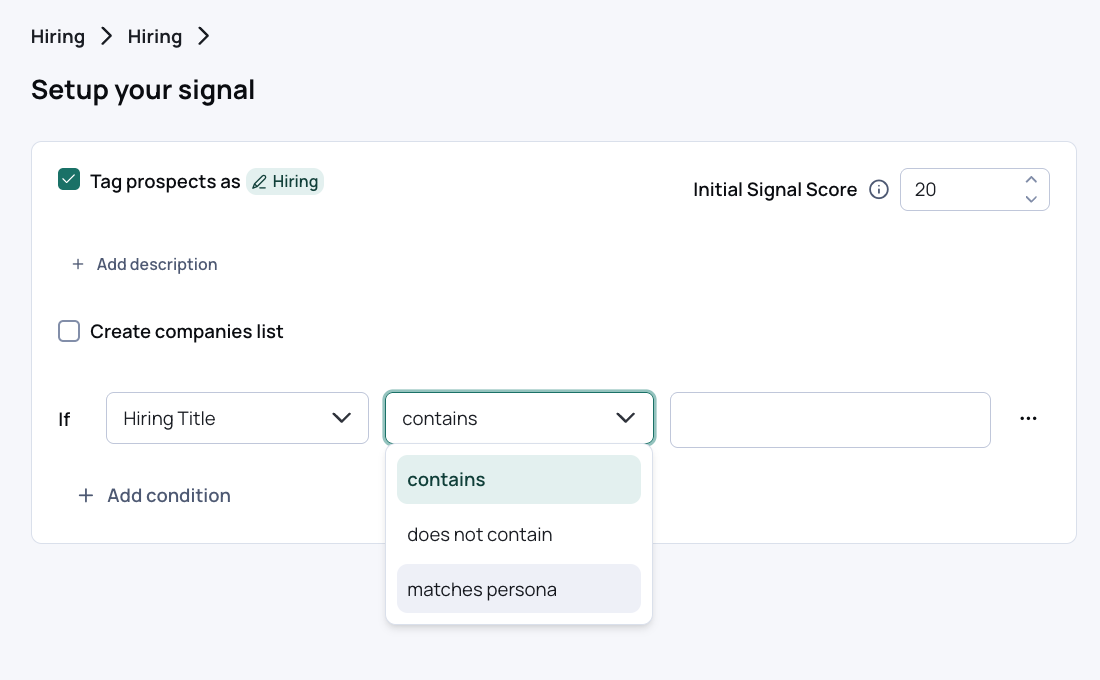
- Hiring. A tracked account is hiring in the functions you care about, a leading indicator of growth and initiative.
Three defaults need configuration
1. Tech Stack -> add the tech your company integrates with , complements, replaces so AI knows how to use the signal. Not seeing the tech you need? Let your CSM know and we'll have it added to the system.
2. Funding -> Indicate what type of funding and timeframe that is relevant for your business.
3. Hiring -> Indicate what types of roles being hired are interesting for your business whether by department, specific titles, or the persona you created in UserGems.
Custom first-party signals
Some of the most important signals are the ones you bring into the platform yourself: event registrants and attendees, inbound demo requests, warm MQLs, product usage. This is your own first-party data, and it often converts better than anything else because the intent is explicit.
There are three ways to push first-party signals into UserGems: CSV upload, Salesforce report, or API push. Once live, a custom signal can power everything a native signal can: triggering campaigns, feeding scoring models, and personalizing Gem-E messaging.
Full setup guide: Custom First-Party Signals
Research Agent
Need a signal that does not exist yet? The Research Agent researches custom questions about your tracked accounts using publicly available sources (HQ location, required tech, industry-specific news) and turns the answers into filterable signals.
Learn more: Research Agent
Where to go next
Browse and activate signals in the Signals Library inside the app. If you are unsure which signals map to your current GTM priorities, your CSM can help you prioritize.